
|
SYST Display a List of all system Tasks
SYST [srch] The SYST command is available from BS2000 V10.0, and displays a list of all system tasks.
srch Only those system tasks whose list entry (see below) contains the specified string will be selected. A sinple or complex search condition can be specified for srch. For further information, see page .
Examples: SYST OPR, SYST HT
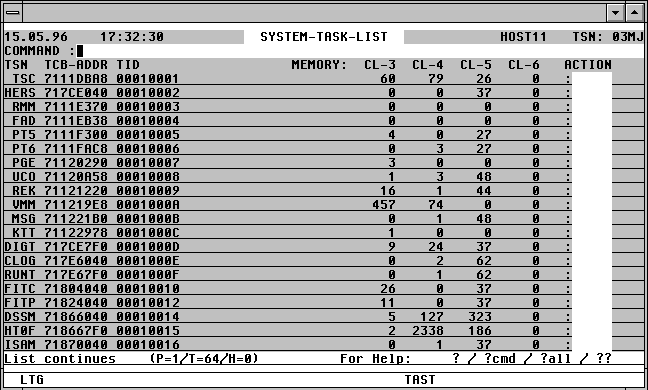

With a mouseclick you get a describtion of the screen item.
SORT {NAME | MN | TYPE | #-IO} [A | D]
Sort the PDT list by VSN, device mnemonic, device type, or the number of device IO's up to now.
POS {NAME=vsn | MN=mn | TYPE=device}
Position the window directly at the required entry in the list.
Action Codes:
Only the following Action Codes may be entered from the SYST mask:
%TCB The TCB of the system task will be displayed in symbolic form.
N The Name entries associated with the system task (e.g. Memory Pools, DSPs, Event Items) will be displayed.
TFT[NL] Files opened by the system task will be displayed.